Поделиться



 3_Queries_didactic_l2_v1.docx
Open the database in the above folder.
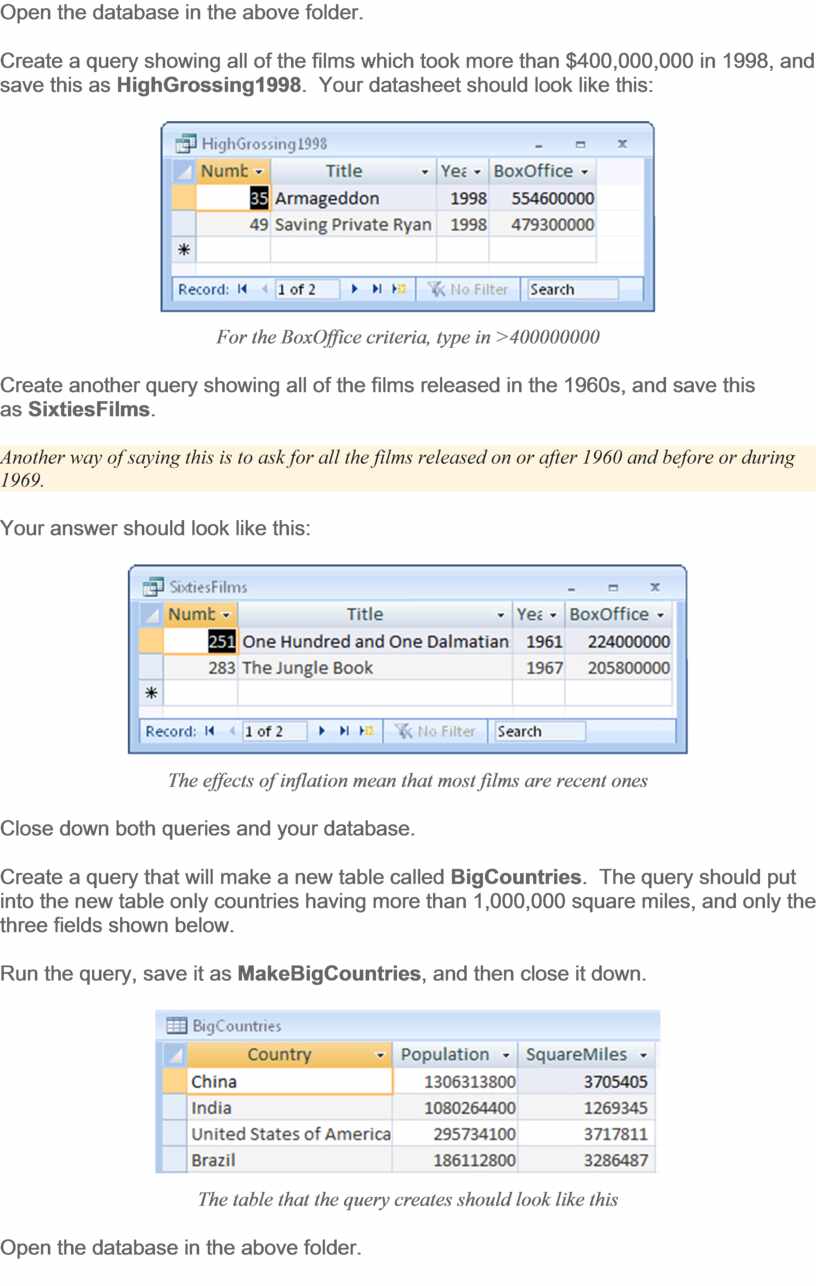
Create a query showing all of the films which took more than $400,000,000 in 1998, and save this as HighGrossing1998. Your datasheet should look like this:
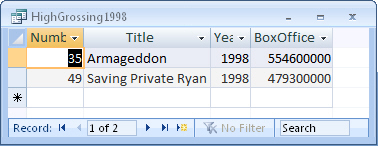
For the BoxOffice criteria, type in >400000000
Create another query showing all of the films released in the 1960s, and save this as SixtiesFilms.
Another way of saying this is to ask for all the films released on or after 1960 and before or during 1969.
Your answer should look like this:
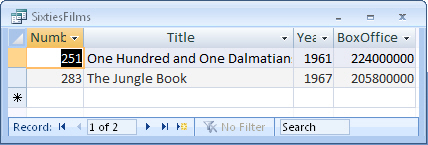
The effects of inflation mean that most films are recent ones
Close down both queries and your database.
Create a query that will make a new table called BigCountries. The query should put into the new table only countries having more than 1,000,000 square miles, and only the three fields shown below.
Run the query, save it as MakeBigCountries, and then close it down.
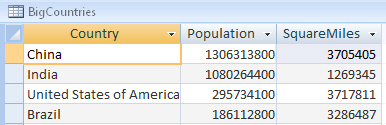
The table that the query creates should look like this
Open the database in the above folder.
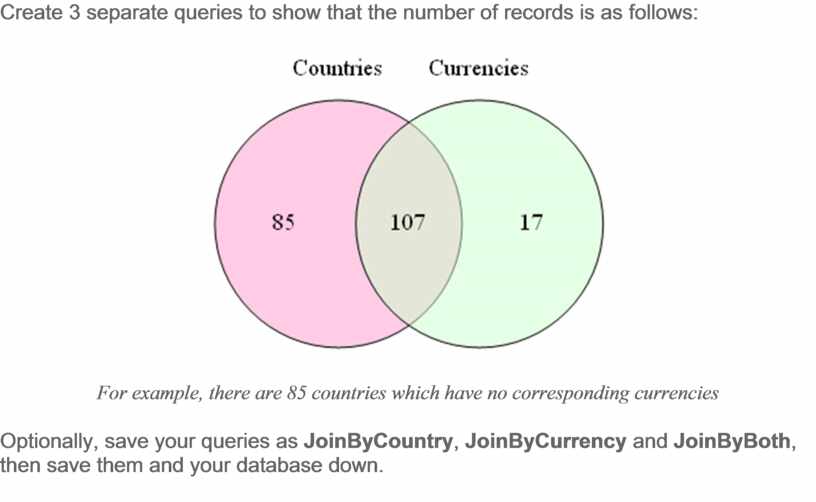
Create 3 separate queries to show that the number of records is as follows:
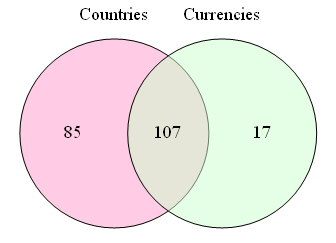
For example, there are 85 countries which have no corresponding currencies
Optionally, save your queries as JoinByCountry, JoinByCurrency and JoinByBoth, then save them and your database down.
Материалы на данной страницы взяты из открытых источников либо размещены пользователем в соответствии с договором-офертой сайта. Вы можете сообщить о нарушении.